

From product design to finished orders

we provide a systematic solution tailored to our clients' needs.

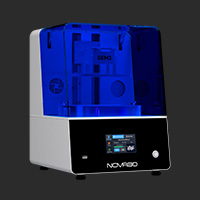
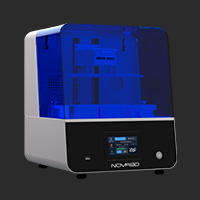
3D Printer Jewelry Resin

Jewelry Application.jpg

application-jewelryl-3dPrinter.jpg
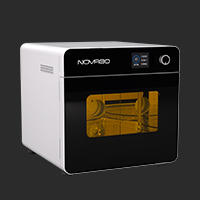
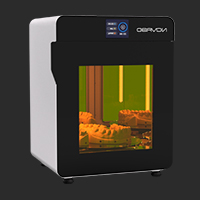
3D Printing Jewelry Solution
Ideal for rapid prototyping, intricate designs, custom orders, and creating reusable master jewelry patterns for mass production.
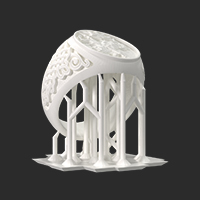
A single build plate can hold 60+ ring models or 20+ intricate hollow jewelry pieces, supporting a full range of casting wax models – from standard and men’s thick rings to filigree rings and Cuban chains. This increases capacity by 400%, meeting peak season demands.
Whether you are a jewelry designer or a jewelry caster, NOVA3D can bring your ideas to life.
GEM3 Max Learning Center
Design Freedom.jpg

Design Freedom

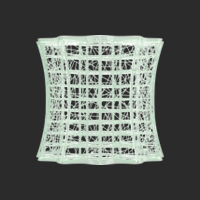
Supports topology optimization and parametric design.
Printing Precision.jpg

Printing Precision

17μm ultra-high resolution for exquisite detail.
Cost Efficiency.jpg

Cost Efficiency

A single plate holding 60+ ring models boosts capacity by 400%, meets seasonal demand, and reduces waste.
application-jewelryl-resin.jpg

Jewelryl 3D Printing Materials

Learn More
Precision Cast.jpg

Precision Cast

Wing-like thinness with high precision, specially formulated resin wax for thin-walled castings such as filigree.

Learn MoreLearn More.svg

Hi-Wax Cast.jpg

Hi-Wax Cast

High wax content with low shrinkage, dedicated resin wax for thick-walled castings.

Learn MoreLearn More.svg

High-Temperature Rubber Mold.jpg

High-Temperature Rubber Mold

Withstands 200°C, high precision, eliminates mold cracking during pressing.

Learn MoreLearn More.svg

Electroplating Crystal Red.jpg

Electroplating Crystal Red

Heat-resistant up to 150°C, high precision, high rigidity, and strong adhesion, optimized for electroplating processes.

Learn MoreLearn More.svg

FAQs

Model Has Holes or Non-Manifold Geometry and Cannot Be Printed?

The model may come from low-quality 3D scanning, be converted from game or animation models (typically non-solid), or result from complex Boolean operations without proper cleanup.

Common Error Types:

Non-Manifold Geometry: An edge shared by three or more faces (e.g., two cubes connected only at a single vertex).

Bad Edges / Isolated Edges or Vertices: Edges or vertices that do not belong to any face.

Holes: Unclosed gaps on the model surface.

Inverted Normals: Face directions (inside/outside) are inconsistent, preventing the software from distinguishing interior from exterior.

Self-Intersection: The model surface intersects with itself.

Repair Methods & Recommended Tools

Use Materialise Magics software for repair. Use the "Repair Wizard" to automatically diagnose and fix holes, bad edges, and normal errors, ensuring the model becomes watertight solid.

Model Fails to Adhere to the Build Platform

Quick Troubleshooting Process

First, check: Is bottom exposure time sufficient (compare against official recommended parameter sheets)? Is resin temperature appropriate?

Then, check: Is the platform leveled and clean? Is the Z-axis zero position correct? Has the platform surface become worn and smooth, reducing adhesion?

Finally, check: Are the model supports and raft secure? Is the FEP film in good condition?

Core Causes & Solutions

1、Insufficient Bottom Exposure Time

The model does not adhere firmly to the platform. Our official machines and resins have corresponding parameter sheets. Select your machine model and resin to set parameters accordingly. For dark-colored resins, low temperatures, or aging platforms, increase bottom exposure time as needed.

2、Improper Leveling

Strictly follow the printer manual or after-sales instructional videos. Standard procedure: Loosen platform screws → lower platform to vat bottom with two sheets of A4 paper → apply manual pressure to ensure tight contact → tighten screws → reset Z-axis zero.

3、Platform Surface Too Smooth

Use a platform designed for high-wax resin to enhance adhesion and prevent model detachment. Check for platform wear; replace if excessively worn.

4、Resin Too Viscous

Set the resting time after bottom layer retraction to 30 seconds in the parameter settings to reduce the impact of resin flow during platform descent.

5、Insufficient Preheating Temperature

Resin needs to be preheated inside the printer before printing. Preheat to 28–35°C. If no heating device is available, soak the resin bottle in warm water.

6、Insufficient Contact Area or Thin Supports

Add a raft: Add a raft no thicker than 0.25mm in the slicing software.

Optimize supports: Ensure support contact points with the platform are strong enough; increase support diameter or density.

Tilt the model: Tilting the model at an angle (e.g., 30°) increases the initial contact area.

7、Loose, Scratched, or Worn FEP Film

A properly tensioned FEP film should have appropriate elasticity and produce a crisp drum-like sound when pressed. If the film surface is cloudy, has deep scratches, or has been used for many prints, replace it.

Model Deformation or Breakage at Support Points

The main cause is insufficient support structure to withstand the shrinkage stress and peel force generated during curing:

Core Causes & Solutions:

1、Support Structure Issues (Most Common)

Insufficient support quantity, too small contact points, weak support structures, or poor placement.

Increase support density: Manually add medium or heavy supports under overhangs, isolated areas, and critical structures. Increase support density (recommended 50–70%). Do not rely solely on auto-generation.

Increase contact point diameter: In the slicing software, increase the support contact point diameter (e.g., from 0.2mm to 0.3–0.5mm) to enhance bond strength.

Optimize support angle: Ensure the angle between supports and the model surface is between 45°–70°. Avoid angles that are too close to horizontal or vertical.

Check support connections: Ensure all supports are firmly attached to the model or platform, with no floating supports.

2、Exposure Parameter Issues

For the GEM3 series, Precision Cast Resin requires a layer exposure time of 3.2 seconds, and Hi-wax Cast Resin requires 4.2 seconds. Incorrect parameters—whether over-exposure or under-exposure—can lead to brittleness or blurred surface details.

3、Model Design Details Too Small or Wall Thickness Too Thin

Minimum wall thickness: Use modeling or repair software to check the model. Minimum wall thickness should be no less than 0.2mm, with other details no less than 0.18mm.

Support reinforcement: Add grid-like or tree-like reinforcement ribs on the back of flat surfaces, long edges, or areas prone to bending. Rib thickness can be 50–80% of the wall thickness.

4、Motor Speed Too High

In the slicing software, adjust the following parameters in the print settings or motor speed section:

Reduce lift and retract speeds: Jewelry casting resins are relatively soft. Motor speed should be controlled between 80–120 mm/min.

Increase resting time after retraction: Adding resting time after the platform reaches the top or bottom allows resin to flow and stress to release, effectively reducing the risk of tearing.

Poor Model Detail Clarity

Poor detail clarity is primarily caused by light scattering, pixel diffusion, or mechanical vibration, which reduce curing accuracy. Please follow the process below to systematically identify and resolve the issue.

1、Exposure Parameter Issues

For the GEM3 series, Precision Cast Resin requires a layer exposure time of 3.2 seconds, and Hi-wax Cast Resin requires 4.2 seconds. Incorrect parameters can result in blurred surface details.

2、Check Anti-Aliasing Settings:

In the slicing software, turn off or reduce the anti-aliasing level. Anti-aliasing reduces layer lines by blurring pixel edges but directly sacrifices XY-axis detail sharpness.

3、Model Orientation:

Orient the most detailed surfaces facing upward (away from the platform) or at an angle. Surfaces in contact with supports will have reduced quality.

Avoid orienting fine detail surfaces parallel to the platform (i.e., horizontal), as this introduces pronounced layer lines on details.

4、Support Settings Impact:

Support contact points attached directly to detail surfaces leave marks after removal.

For surfaces requiring high detail retention, use finer supports (e.g., tip contacts) and position them in non-critical areas. Sand with fine sandpaper after removal if needed.

5、5.Mechanical Vibration or Looseness

Place the printer on a perfectly level, stable surface. Inspect and tighten all screws, especially those on the build platform.

Model Surface Feels Tacky or Has Residue During Cleaning

A tacky surface or residual uncured resin is the most common post-processing issue in resin printing. This typically indicates incomplete cleaning or insufficient post-curing. Follow the steps below to systematically resolve it:

1、Incomplete Cleaning

Use the dual-bucket method: Prepare two cleaning containers.

First Wash (Rough Cleaning): Removes most resin from the model surface. This alcohol solution will become dirty quickly.

Second Wash (Fine Cleaning): Thoroughly removes remaining residue. This alcohol solution must remain relatively clean.

Procedure: After removing the model from the printer, immerse in the first wash and agitate for 1–2 minutes, then transfer to the second wash and agitate for another 2–3 minutes. Total cleaning time should not exceed 5 minutes.

Tool Assistance: Use a soft brush to gently scrub hard-to-reach areas such as ring interiors and setting recesses. Take care not to apply excessive force that could damage fine details.

Use an ultrasonic cleaner (20–40 kHz) to remove residual resin. If the cleaning solution becomes saturated, replace it with fresh solvent. After cleaning, the model surface should appear matte and uniform with no greasy feel. Inspect details under light for any shiny liquid film.

2、 Insufficient Post-Curing

Use a professional UV curing chamber with uniform light distribution. Avoid relying solely on sunlight or single-direction UV lamps, which can cause uneven curing.

Curing in water (highly recommended): Fully submerge the model in clean water during curing. Water scatters UV light, allowing uniform exposure to all complex surfaces and recesses, and prevents surface tackiness or brittleness from over-exposure. Place the dried model in a transparent container, add water to fully submerge, then place in the curing chamber.

Control curing time: Refer to the resin datasheet. Thin-walled parts: approximately 5 minutes; thick-walled parts: 15–20 minutes. Monitor the condition.

Blurred or Missing Fine Details (e.g., Filigree, Engravings)

Blurred or missing fine details represent a challenge to the precision limits of resin printing. The core causes are light diffusion during exposure, physical pixel limitations, and model design.

1、Check the Design:

Measure whether the actual width or depth of filigree lines or strokes in your model is ≥0.4mm. If not, return to CAD software to modify.

2、Check Exposure Time:

Precision Cast Resin: 3.2 seconds layer exposure. Hi-wax Cast Resin: 4.2 seconds layer exposure. The goal is not simply to print successfully, but to find the shortest exposure time that clearly resolves the smallest details and holes.

3、Reduce Layer Thickness:

Using thinner layers (e.g., 0.04mm) improves Z-axis detail but has limited effect on XY-plane details (such as engravings) and significantly increases print time.

Obvious Pixel Lines, Layer Lines, or Pixelation on Model Surface

Layer lines and pixel lines are inherent artifacts of resin 3D printing, originating from Z-axis layering and XY-axis pixels respectively. They cannot be completely eliminated but can be significantly reduced.

1、Layer Lines (Stair-Stepping):Stepped textures appearing on inclined surfaces of the model. The core countermeasures are optimizing the build orientation and reducing the layer height.

Optimize orientation (most effective):Rotate the model to an angle of 20–45° relative to the platform in the slicing software. For complex shapes like spheres, try the "spherical orientation" function.

2、Pixelation (Granular Texture):Rectangular pixel-like granular texture appearing on the surface of the model. The core countermeasures are enabling anti-aliasing and optimizing exposure.

Enable anti-aliasing (most critical setting): In the slicing software, select 2x or 4x anti-aliasing. Higher levels provide smoother results, but excessively high levels may blur extremely fine lines.

Model Becomes Brittle, Yellowed, or Deformed After Curing

First, check whether the resin is within its shelf life and not expired. Then, verify whether over-exposure occurred during printing or post-curing.

Solution:

Regularly check that resin is within its shelf life. Replace expired resin promptly. Strictly control exposure time and post-curing duration.

Exposure time: Precision Cast Resin: 3.2 seconds. Hi-wax Cast Resin: 4.2 seconds.

Post-curing time: Thin-walled parts: approximately 5 minutes; thick-walled parts: 15–20 minutes. Monitor the condition.

Investment Mold Cracks (Explodes) During Burnout

Investment mold cracking during burnout is a serious issue caused by residual moisture inside the mold rapidly vaporizing at high temperatures, generating steam pressure exceeding the mold's strength.:

​1、Low-Temperature Drying of the Model:

After dewaxing or burning out the resin model, the mold interior is damp and must be completely dried.

2、Air Bubbles or Insufficient Drying in the Investment

Vacuum must be applied during investment mixing to eliminate air bubbles. Ensure the investment is fully set (2–2.5 hours) and reaches adequate strength.

3、Ramping Speed Too Fast:

Follow the burnout curve, especially including a low-temperature preheating stage (approximately 80°C) to allow the resin to slowly soften and decompose, preventing sudden expansion that causes cracking.

Residue on Cast Metal Parts

1、Use an Extremely Slow Ramp Rate at Low Temperatures:

Use a gradual heating process with a ramp rate controlled at 290°C/h. The critical range (room temperature to 600°C) is where resin decomposes and gasifies; it must be extremely slow.

2、Adequate Ventilation and Exhaust:

The burnout furnace must have good exhaust to ensure decomposition gases are expelled promptly; otherwise, they may re-condense into tarry residues inside the cavity.

Bubbles on Cast Metal Parts

To resolve this issue, a systematic inspection of the entire process flow is required. Below are the primary causes and solutions listed in production order.:

1、Resin Model Not Fully Cured (Residual Monomers Inside):

Incomplete cleaning or insufficient post-curing leaves unreacted monomers inside the resin, which gasify aggressively during burnout.

Solutions:

Thorough Cleaning: Use an ultrasonic cleaner and rinse multiple times with fresh 95% alcohol.

Complete Post-Curing: Ensure all areas of the model receive sufficient UV exposure until fully hardened.

2、Excess Air Entrapped During Investment Mixing:

Mixing too quickly or improperly introduces air bubbles.

Solution:

Use a vacuum mixer to eliminate over 90% of bubbles. If mixing by hand, stir slowly in one direction and let the slurry sit briefly to allow large bubbles to rise.

3、Improper Pouring Technique:

Solution: Pour slurry slowly along the inner wall. After pouring, use a vibration table or gently tap the flask to release micro-bubbles.

Solution:

Pour slurry slowly along the inner wall. After pouring, use a vibration table or gently tap the flask to release micro-bubbles.

4、Insufficient Mold Burnout (One of the Most Critical Causes):

Residual water or organic matter inside the mold vaporizes upon contact with molten metal, creating gas.

Solution:

Ensure the mold is thoroughly dry before burnout.

5、Poor Mold Permeability:

Investment powder that is too fine or slurry that is too thick prevents gases from escaping through micro-pores.

Solution: Use specialized investment powder designed for 3D printed resins (e.g., SRS3D CAST, Prestige Optima). Strictly follow the recommended powder-to-water ratio.

6、Metal Melting and Pouring Issues:

Molten metal absorbs gases due to prolonged melting, overheating, or use of contaminated or damp crucibles and tools.

Solution:

Use a flux (e.g., borax) to protect the molten metal surface and reduce oxidation and gas absorption. Ensure all tools in contact with molten metal are thoroughly dried and preheated. Avoid overheating the metal.

Black Spots or Rough Surface on Cast Metal Parts

Black spots are typically unburned resin carbon residue, investment impurities, or metal oxides embedded in the casting surface. Rough surface reflects an unsmooth mold cavity interior or reaction between metal and investment.

Resin Model Surface Residue:Refined Post-Processing: Completely remove all supports, then thoroughly clean the model in an ultrasonic cleaner with a soft brush and fresh alcohol.

Full Curing: Ensure all recessed areas of the model receive sufficient secondary UV curing for complete polymerization, so as to reduce ash content during pyrolysis / burnout.

​1、Resin Model Surface Residue:

Thoroughly remove all supports. Clean using a soft brush and fresh alcohol in an ultrasonic cleaner.

Ensure all areas of the model are fully post-cured to minimize ash residue during burnout.

2、Investment Slurry Issues (Most Critical):

Clumped or non-dedicated investment powder results in coarse particles that directly cause rough casting surfaces.

Solution: Use specialized investment powder for 3D printed resins (e.g., SRS3D CAST, Prestige Optima). Strictly follow the recommended powder-to-water ratio.

3、Incomplete Burnout (Most Common Cause of Black Spots):

Resin model is not fully burned out, leaving carbon residue; or organic matter inside the mold is not completely expelled.

Solution:

Optimize the burnout curve to ensure sufficient slow ramping and holding in the 400–600°C range for complete resin decomposition. Maintain high temperature at 700–800°C with a 1–2 hour hold to fully oxidize residual carbon. When removed, the mold cavity should appear uniformly white or light in color with no dark spots.

4、Furnace Contamination:

Residual contaminants in the furnace can transfer to the mold.

Solution: Clean the furnace regularly and avoid mixing different materials.

5、Incorrect Pouring Temperature:

Excessively low temperature reduces metal fluidity, preventing detail replication; excessively high temperature increases reaction with the investment, causing surface roughness.

Solution: Control pouring temperature within the recommended range, typically at the mid-to-upper limit, to ensure good fluidity.

Flash and Burrs on Cast Metal Parts

lash and burrs are mainly caused by insufficient mold strength, stress cracking, or poor mold closure. The key is to prevent cracks in the mold rather than post-processing, as removing flash can easily damage the casting itself.

1、Investment Slurry Issues (Insufficient Strength):

Incorrect water-to-powder ratio, inadequate mixing, or use of non-dedicated or degraded investment powder leads to low mold strength.

Solution:Strictly follow the manufacturer's recommended ratio. Mix thoroughly to eliminate dry powder clumps. Store investment powder in a sealed, dry environment.

2、Micro-Cracks from Pouring or Dewaxing:

Excessive vibration after pouring or improper force during dewaxing can create invisible micro-cracks.

Solution: Use gentle vibration for bubble removal. Ensure wax or resin patterns are completely removed without forceful prying.

3、Improper Drying of the Mold:

Rapid drying causes surface shrinkage while the interior remains damp, leading to cracking.

Solution: Allow natural drying in a cool, ventilated area before low-temperature drying in an oven at 50–80°C. Avoid high-temperature drying at the outset.

4、Ramping Speed Too Fast (Primary Cause):

Rapid temperature increase causes trapped moisture and crystallization water to vaporize suddenly, generating internal pressure that cracks the mold.

Solution: Strictly follow a slow ramp rate in the room temperature to 300°C range, not exceeding 50–100°C/h, with a holding period. Ensure the mold is completely dry before burnout.

5、Excessive Metal Impact Force:

Excessively high initial centrifugal speed or vacuum pressure can cause metal to erode weak areas of the mold cavity.

Solution: Optimize casting parameters by reducing initial centrifugal speed or vacuum pressure to ensure smooth metal filling. Consult equipment manufacturer for recommended settings.

6、Insufficient Mold Preheating:

If the mold cools too much after removal from the burnout furnace, the temperature difference with molten metal becomes excessive, causing thermal shock and cracking.

Solution: Pour promptly. Coordinate processes to minimize the time between mold removal and casting.

Stubborn Investment Residue on Cast Parts

1、High-Pressure Water Jet:

Use professional high-pressure cleaning equipment (pressure >500 bar) directed at residue areas. This is the most effective physical method.

2、Sandblasting:

Glass beads: Moderate hardness, effectively removes residue without damaging most metal surfaces. Ideal for fine details and precious metals.

Fine aluminum oxide (220 mesh or finer): More aggressive, but may cause micro-scratches on soft metals such as silver and gold.

3、Ultrasonic Deep Cleaning:

Immerse cast parts in warm water with alkaline cleaning solution and ultrasonically treat for 30–60 minutes. Effective for loosening residue in crevices.

十五、Casting Cracks After Quenching

Quenching-induced cracking results from thermal and structural stresses exceeding the material's strength. This is a heat treatment issue rather than a casting defect.

1、Improper Quenching Technique (Primary Cause)

Placing a high-temperature casting directly into cold water causes rapid surface contraction while the interior remains expanded, generating high tensile stress that leads to cracking.

Solution:

Quench delay: Allow the casting to cool in air for several seconds until the red color fades (approximately 500–600°C) before quenching in water.

Use milder quench media: Replace cold water with warm water (60–80°C), oil, or professional quench fluid to reduce cooling speed.

Boiling water quenching: For silver and copper alloys, quenching directly into boiling water is safe and effective.

Ensure uniform cooling: Hold the casting with tongs and immerse smoothly to prevent localized contact.

2、Pre-Existing Defects in the Casting

Internal defects such as shrinkage cavities, gas pores, inclusions, or abrupt wall thickness changes act as stress concentration points.

Solution:

Optimize casting processes by improving the gating system and metal purity. Add fillets at sharp corners and avoid sudden wall thickness changes. Consider stress-relief annealing before quenching.

Porosity and Insufficient Fill

1、Porosity (Gas Pores, Shrinkage Cavities)

Gas Pores Causes:

Poor mold venting: Incomplete burnout, residual moisture or organics in investment; poor mold permeability.

Gas absorption in molten metal: Use of contaminated crucibles, insufficient deoxidation.

Poor gating design: Narrow runners or improper positioning entrain air.

Shrinkage Cavities Causes:

Insufficient feeding: Heavy sections without adequate riser size or placement.

Incorrect pouring temperature: Overheating increases shrinkage; too low temperature reduces fluidity, preventing proper feeding.

Solutions:

Optimize the mold: Ensure thorough burnout with adequate high-temperature hold.

Purify molten metal: Use clean, dry crucibles and tools. Use flux to prevent oxidation and gas absorption. Deoxidize alloys such as copper and silver.

Optimize design and process:

Avoid excessive cross-sections where possible. Ensure adequate riser size and placement with proper directional solidification. Use lower pouring temperatures while maintaining fluidity.

2、Insufficient Fill (Misrun) Causes

Poor metal fluidity: Pouring temperature too low or incorrect metal composition.

Poor mold permeability: Trapped gases prevent mold filling.

Slow or interrupted pouring: Metal fails to fill the cavity quickly and continuously.

Damage to the resin model: Unnoticed damage during cleaning or handling.

Solutions:

Increase pouring temperature to improve fluidity (balance against shrinkage risk). Optimize mold burnout for better permeability. Pour quickly and continuously without interruption. Inspect resin models under strong light before investing.

Scratches or Failure to Achieve Mirror Finish After Polishing

1、Issues from Previous Steps

Rough finishing leaves deep scratches that are difficult to polish out.

Solution: Strive for smoothness during the finishing stage. Use progressively finer files and sandpaper as the final step before polishing.

2、Improper Polishing Technique

Skipping grit steps. Contamination: Using different abrasive compounds on the same polishing wheel. Incorrect pressure or speed.

Solution:

Establish SOP: Clearly document tools and abrasive grit sizes for each step.

Dedicate tools: Use separate polishing wheels for different compound grits and label them clearly.

Optimize parameters: For small precision parts, typically use high speed and light pressure.

NovaMaker (Windows).jpg

NovaMaker (Windows)

A suite of efficient, smart and intuitive tools to enable your productivity in an easy way.


Download NovaMaker (Windows)
NovaMaker (macOS).jpg

NovaMaker (MacOS)

Covering 90% of scenarios, pre-processing is completed in only 3 steps.


Download NovaMaker (macOS)