
Model Inspection and Repair

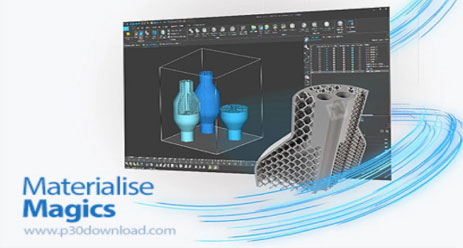
Materialise Magics is the core software for data preparation and model repair in the jewelry casting workflow, particularly for 3D printed lost-wax casting. It repairs STL models exported from CAD software—which often contain issues such as open surfaces or incorrect normals—into watertight solid models, ensuring proper recognition and printing by 3D printers.Based on the photopolymerization and jewelry casting context previously discussed, the following is the specific operational process for inspecting and repairing models using Magics:


一、Core Inspection and Repair Process (Fix Wizard)

The most powerful feature of Magics is the Fix Wizard, which automatically diagnoses and repairs most model errors.
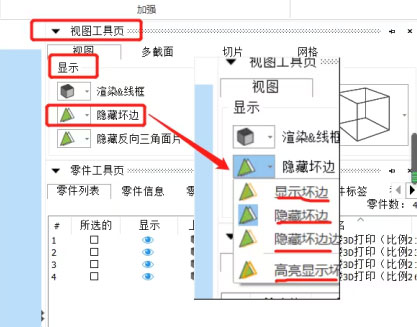


1. Import Model:Drag the STL file into the software.


2. Launch Fix Wizard:Click the red cross icon in the toolbar.


3. Diagnosis:

  • Click "Go to Advised Step" or "Diagnosis."
  • The software automatically scans the model and lists all error types (e.g., holes, bad edges, incorrect normals).
  • Note: For jewelry models (which typically have dense meshes), it is recommended to uncheck "Overlapping Triangles" and "Intersecting Triangles" during diagnosis to avoid false positives and prioritize major errors.


4. Automatic Fixing

  • Click "Automatic Fixing." The software automatically fills holes, closes gaps, and corrects normals.
  • After fixing, click "Diagnosis" again to check for any remaining red/yellow errors. Typically, this diagnose-fix cycle should be repeated 2–3 times until all errors are resolved.


二、Jewelry Casting-Specific Checks

Beyond geometric errors, jewelry casting imposes specific requirements on the model. The following checks should be performed in Magics:


1. Wall Thickness Analysis

  • Purpose: Ensure critical areas such as ring shanks and setting seats have sufficient thickness to prevent casting failures like incomplete metal flow or fractures.
  • Operation: In the "Analysis" or "Measure" tools, use the wall thickness analysis function. Set a minimum thickness threshold (e.g., 0.5 mm), and the software will highlight areas that fall below this threshold.


2. Multiple Shells Check

  • Issue: If the model consists of multiple unmerged parts (e.g., a setting not Boolean-united with the shank), Magics will identify them as separate shells.
  • Repair: In the "Shells" section of the Fix Wizard, select "Convert Shells to Parts" or use the "Boolean" operation to merge all shells into a single solid entity.


3. Noise Shells Removal

  • Issue: Scattered, non-manifold triangles may exist around the model.
  • Operation: Detect and delete these noise shells in the Fix Wizard to prevent the printing of excess supports or artifacts.


三、Manual Repair Tools (for Complex Errors)

If automatic fixing cannot resolve certain complex issues (e.g., large non-planar holes), manual tools may be used:
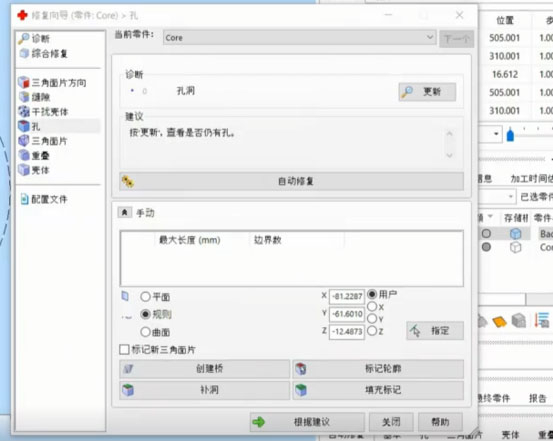


Fill Holes:Manually select hole boundaries to fill.

Stitching:Manually pick boundary points to close gaps that cannot be automatically sealed.

Boolean Operations:Used to merge multiple parts or cut models; a common feature in jewelry modeling.


四、Pre-Export Check

After repair, the following final checks are essential:

  • Visual Inspection:Rotate the model to verify the surface is smooth with no abnormal depressions or protrusions.
  • Diagnosis Confirmation:Ensure all items in the Fix Wizard diagnosis list are green (error-free).
  • Save:Export the model as a new STL file, ready for slicing and printing.


Summary: For jewelry casting, the core value of Magics lies in ensuring the model is solid. A perfect STL model should be like a sealed eggshell—completely free of holes—to enable the formation of a complete metal part during casting.

Model Orientation and Support Strategies for Jewelry Models

In photopolymerization 3D printing of jewelry models—particularly rings, pendants, etc.—model orientation and support placement are critical factors determining print success and the difficulty of post-processing (finishing and polishing). Due to their small size, intricate details, and extremely high precision requirements, jewelry models demand support strategies that differ significantly from standard models. The following are key considerations for jewelry model orientation and support generation:


一、Model Orientation Principles (Minimizing Support Marks)

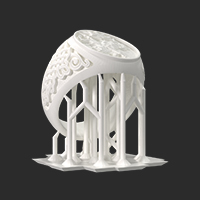
Jewelry models are typically oriented inverted or at an angle to position support points on non-cosmetic surfaces (e.g., inner ring shank, back of a pendant), avoiding unsightly marks on visible areas.
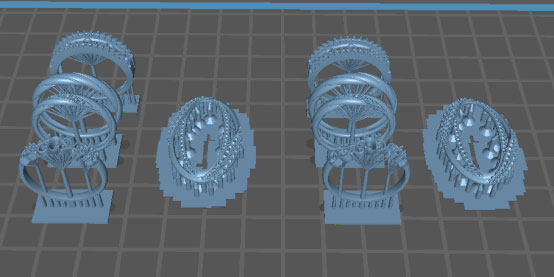


1. Ring Models:
  • Optimal Orientation: Inverted (ring shank opening facing up, setting facing down).
  • Reason: Supports are primarily placed on the inner shank and the bottom of the setting. The inner shank will be polished during finishing, making support marks easy to address; the bottom of the setting is generally inconspicuous and uses small contact points, minimizing impact on the visible exterior.
  • Avoid: Placing the ring flat with the shank opening facing down. This results in supports covering the entire outer shank, leading to extensive post-processing work and a high risk of damaging details.


2. Pendants / Complex Models:

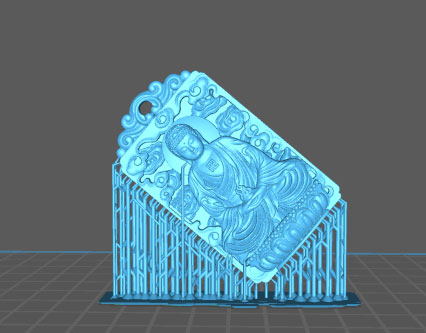
  • Optimal Orientation: Angled at 30°–45°.
  • Reason: Angled orientation leverages the model’s own geometry for support (following the “30° rule”), reducing the number of supports needed. Support points can be concentrated on the sides or back of the model, keeping fine details such as engravings or reliefs on the front surface untouched.


二、Support Generation Strategies (Fine Yet Secure)

The core challenge with supports for jewelry models is balancing delicacy (to minimize marks) with strength (to prevent print failure).


1. Support Type Selection:

  • Recommended: Tree-like Supports:Tree-like supports have small contact points, are easy to remove, and consume less resin. For small-volume jewelry models, they typically provide adequate stability.
  • Avoid: Grid Supports:Grid supports have large contact areas, are difficult to remove, and often leave extensive marks on the model surface, making them unsuitable for jewelry applications.


2. Support Parameter Settings (Critical):

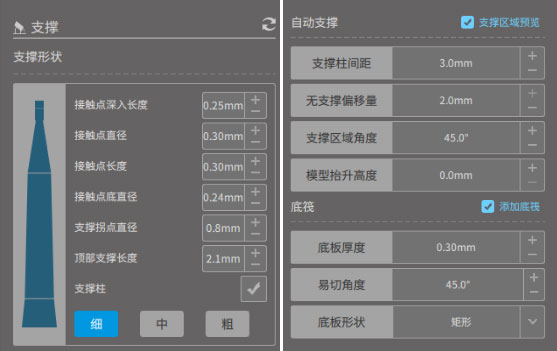
  • Contact Point Diameter: 0.2 mm – 0.5 mm. This is the most critical parameter for jewelry supports. Smaller contact points leave smaller marks upon removal but offer less holding strength. For fine jewelry models, thin supports (0.2–0.3 mm) are recommended, paired with increased density.
  • Support Density: 20% – 30%. Overly high density makes supports difficult to remove and wastes resin. For high-stress areas (such as the underside of a setting), local density can be increased.
  • Support Angle: 30°–45°. This defines the critical overhang angle; surfaces exceeding this angle will automatically generate supports. For jewelry models, setting this around 30° ensures all overhanging details receive adequate support.


3. Manual Reinforcement and Avoidance:

  • Reinforcement: Add a few thick supports (e.g., 0.8 mm) manually at the model’s center of gravity (such as the bottom center of a setting) or other stress points as “anchor supports” to prevent detachment. Fill remaining areas with fine supports.
  • Avoidance: During slice preview, carefully inspect whether supports intersect with engravings, prongs, or fine textures. If a support lands on such a feature, manually delete it and reposition it to a nearby flat area to avoid damaging critical details.


三、Post-Processing and Support Removal

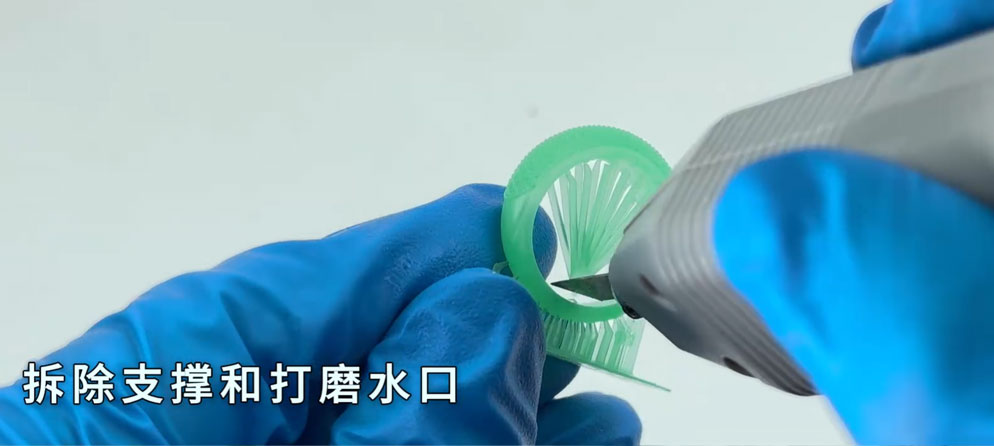
1.Timing of Removal:Remove supports immediately after the model is taken off the printer while the resin is still slightly flexible. If the model has fully cooled and cured, supports become brittle and adhere more firmly, increasing the risk of breaking the model during removal.

2.Tools for Removal:Use flush cutters or needle-nose pliers to cut the supports at the base, avoiding pulling on the model surface. For small residual support tips, gently scrape them off with a scalpel blade or sand with 800-grit or finer sandpaper.

3.Cleaning:After support removal, perform ultrasonic cleaning (using isopropyl alcohol, IPA) to remove any residual uncured resin and support debris from the contact points, ensuring a smooth surface finish.


Summary: The core principle for supporting jewelry models is “fine, dense, and precise”—contact points should be fine to minimize marks, distribution should be dense enough to prevent detachment, and placement must be precise to avoid critical details.

Material Selection and Printing Parameter Settings

Material Selection & Print Parameter Setup


In jewelry 3D printing, Precision Cast Resin and Hi-wax Cast Resin are two specialized materials designed for different structure types—intricate hollow vs. solid heavy models. Although both are used for lost-wax casting, they differ significantly in physical properties and printing strategies.


1、Core Differences: Physical Properties & Applications

  • Parameter
  • Core Property
  • Suitable Structure
  • Physical State
  • Burnout Behavior
  • Precision Cast Resin
  • High toughness, low shrinkage
  • Hollow, filigree, chains, thin-walled parts
  • Tough after curing, not easily broken
  • Burns cleanly, very low ash content
  • Hi-wax Cast Resin
  • High wax content, low expansion
  • Thick-walled, solid, large, heavy parts
  • Relatively brittle after curing, similar to traditional wax
  • High wax content (e.g., 90%+), burns more thoroughly, easier dewaxing


2、Precision Cast Resin: Designed for Detail
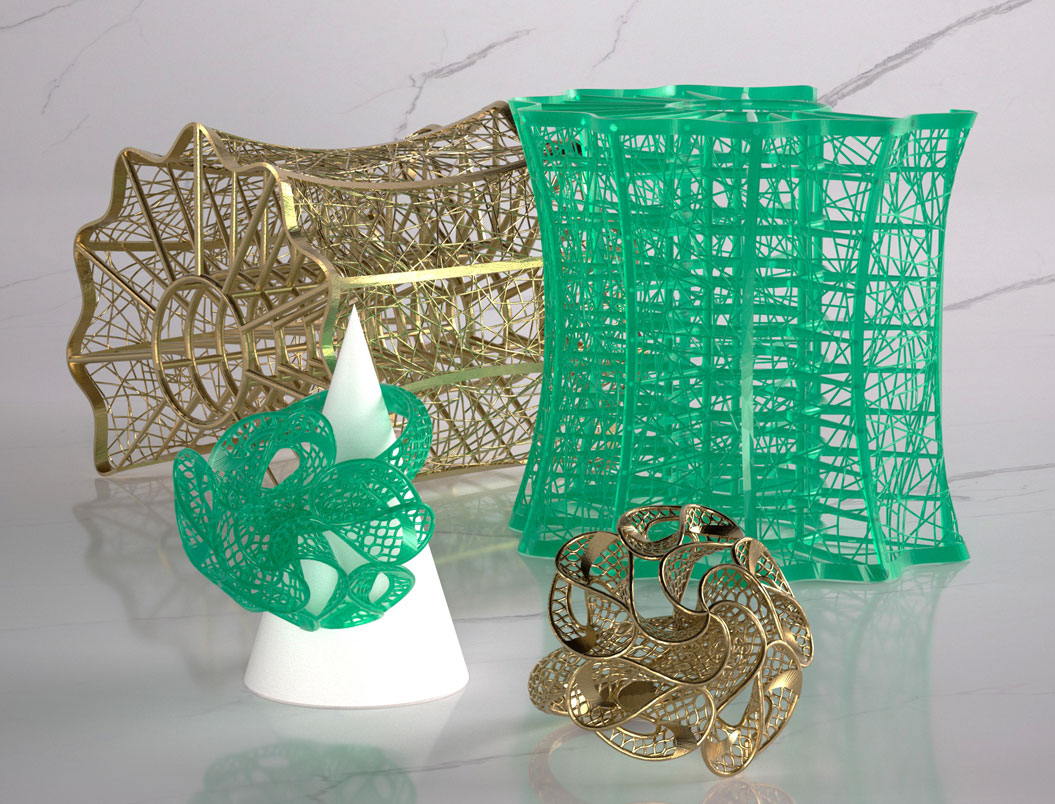


This resin primarily addresses issues of "broken strands" and "deformation."
  • Why choose it: When printing hollow filigree or fine chains, standard resins often break easily during cleaning and support removal. Precision Cast Resin, with its high-toughness formulation, ensures fine details remain intact and undistorted throughout printing and post-processing.
  • Printing note: Due to its toughness, support removal may require slightly more effort than with standard resins. Using flush cutters for precise removal is recommended to avoid pulling and damaging the model.


3、Hi-wax Cast Resin: Designed for Heavy Models

This resin primarily addresses issues of "expansion-induced mold cracking" and "residual ash."

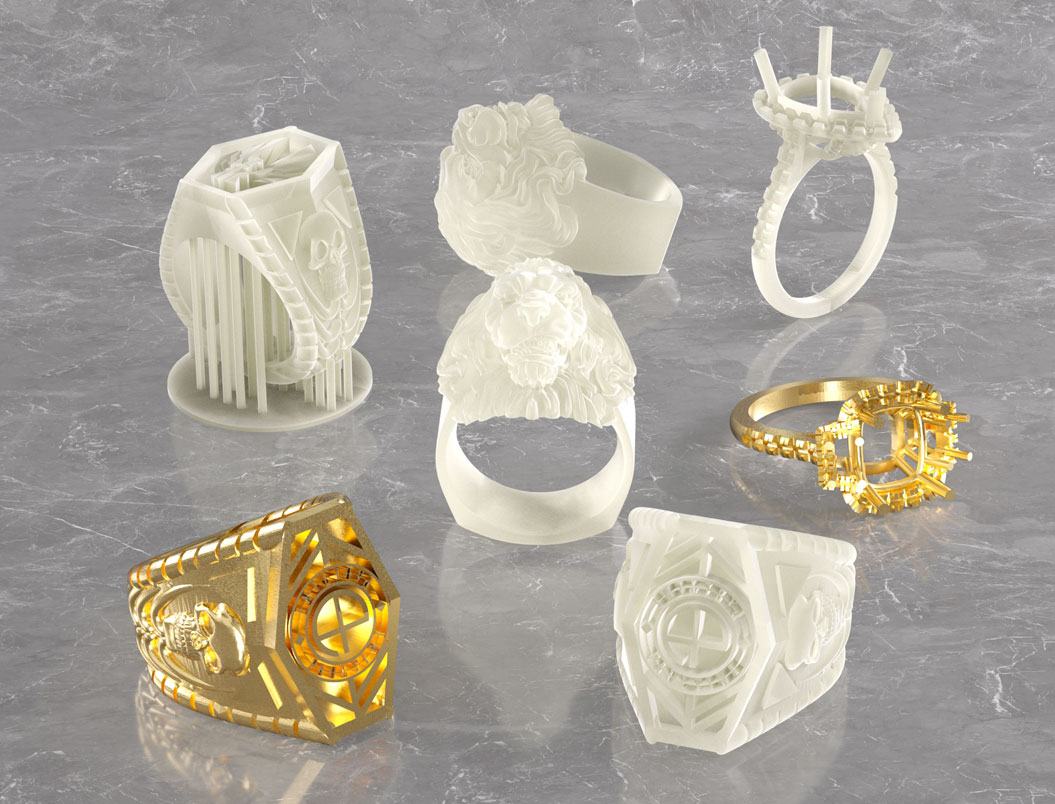
  • Why choose it: When printing solid, heavy models, conventional resins expand significantly during high-temperature burnout, often cracking the investment mold. Hi-wax Cast Resin, with its high wax content, contracts like traditional wax during burnout, pulling away from the mold walls rather than expanding—protecting the mold and improving casting success.
  • Printing note: This material is relatively brittle and prone to breakage when used for thin-walled structures. It is not suitable for highly detailed hollow models.


4、How to choose?

For rings, pendants, fine chains: Choose Precision Cast Resin to preserve detail integrity.

For bracelets, solid decorative pieces, high-weight jewelry: Choose Hi-wax Cast Resin to prevent mold cracking.

For mixed structures (e.g., thick band with fine setting): Precision Cast Resin is recommended—sacrifice some dewaxing performance to protect the delicate details.


Summary: Precision Cast Resin prevents breakage; Hi-wax Cast Resin prevents mold cracking. Selecting the right material based on your model structure is key to achieving high casting success.


Print Parameter Settings


Precision Cast Resin
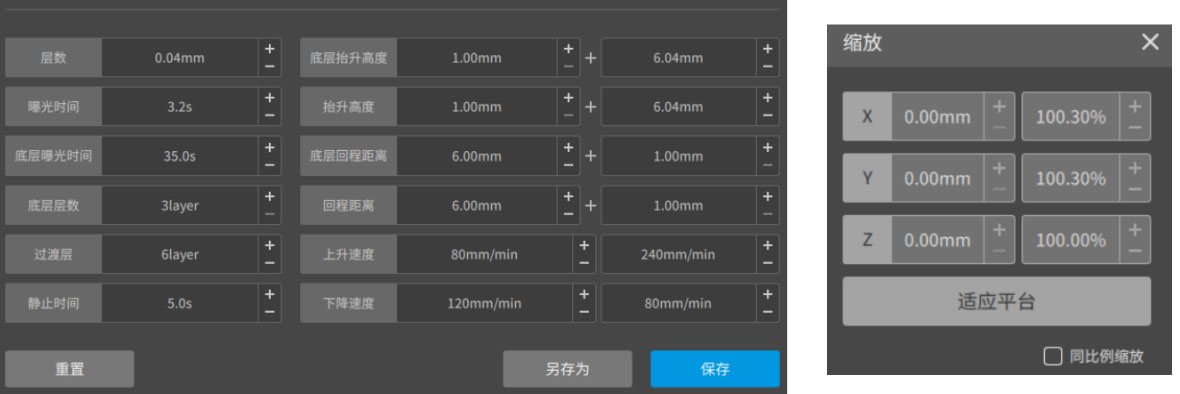
 

NovaMaker Parameter Settings
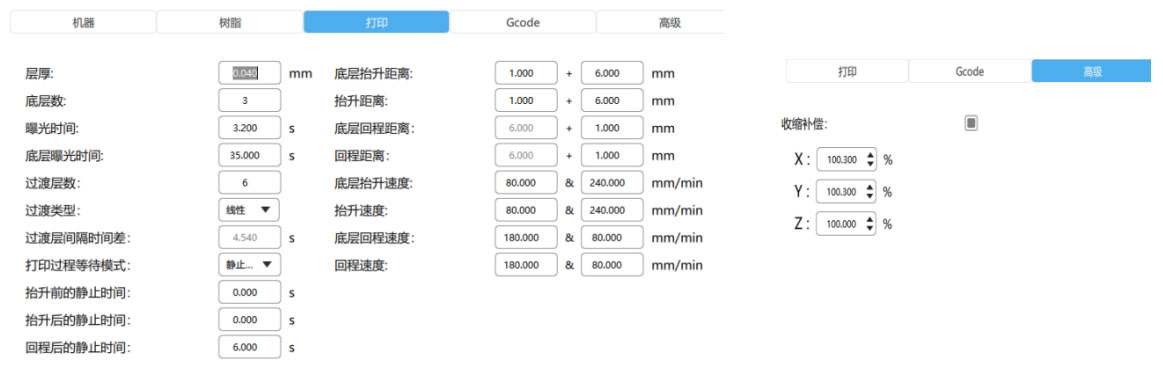
 

Chitubox Parameter Settings


Hi-wax Cast Resin


NovaMaker Parameter Settings


Chitubox Parameter Settings

Preparation Workflow Before Printing

1. Platform Leveling

Our equipment is calibrated and print-tested before shipping and does not require calibration upon unboxing. Recalibrate after prolonged inactivity, screen replacement, or platform replacement. Under normal use, perform periodic calibration. If the platform becomes significantly warped, releveling is required. This is essential to prevent models from sticking to the vat or layer shifting.


2. Release Film (FEP) Inspection

  • Inspect the release film for scratches or residue before printing. Any residue must be cleaned; otherwise, it may puncture the film and cause leakage.
  • Jewelry Precision: Minor scratches on the release film may not affect standard prints, but when printing ring engravings or filigree details, these scratches can transfer to the model surface, causing blurred details or defects.
  • Recommendation: Before printing high-precision jewelry, use a flashlight to illuminate the bottom of the resin vat and verify that the FEP surface is smooth and mirror-like.


3. Resin Preparation

  • Anti-Settling: Pigments and fillers in casting resins (especially blue and purple) tend to settle. Simple shaking may not fully mix them, resulting in uneven color or inconsistent burnout performance.
  • Recommendation: After pouring resin into the vat, gently stir with a scraper to fully suspend settled particles. If the resin contains impurities or clumps before recycling, filter it through a mesh filter before returning it to the vat.


4. Temperature Control

Resin viscosity is highly temperature-sensitive. The optimal printing temperature is 25–30°C. Temperatures below 20°C increase viscosity and reduce flow, leading to print failures or visible layer lines. In colder climates, activate the heating function during winter.


5. Safety Precautions

  • Goggles:
    UV Protection: LCD, DLP, and SLA printers use 405nm UV light to cure resin. Prolonged direct exposure to the UV light or reflections from the resin surface can cause irreversible eye damage, including retinal burns and increased risk of cataracts.
    Chemical Splash Protection: Resin pouring, model cleaning (with alcohol or IPA), and support removal may involve splashing, which can cause chemical burns or irritation to the eyes.
  • Gloves: Nitrile gloves must be worn to prevent skin contact and potential allergic reactions.
  • Ventilation: Operate in a well-ventilated area to avoid inhaling resin vapors.
  • Sanding Dust: In addition to print-time protection, jewelry wax models generate significant dust during support removal and sanding. This dust contains uncured resin particles and is harmful if inhaled.
  • Recommendation: Work in a ventilated area and wear a dust mask (e.g., N95).


6. Starting Printing

  • File Transfer: Copy the sliced file via USB drive to the printer’s local storage. Ensure the file is saved to internal memory to prevent print failure if the USB drive is disconnected during printing.
  • Adding Resin: Pour the prepared resin into the vat, activate the heating system to warm the resin, and begin printing once the temperature stabilizes around 30°C.
Post-Processing of Models

1、Cleaning: Dual-Bucket Method Required

Jewelry models typically feature dense supports and complex structures such as filigree and stone settings, making residual resin difficult to remove with a single wash.


Dual-Bucket Method: Prepare two cleaning containers.

  • First Wash (Rough Cleaning): Removes most resin from the model surface. This alcohol solution will become dirty quickly.
  • Second Wash (Fine Cleaning): Thoroughly removes remaining residue. This alcohol solution must remain relatively clean.
    Procedure: After removing the model from the printer, immerse it in the first wash and agitate for 1–2 minutes to dissolve bulk resin. Then quickly transfer to the second wash and agitate for another 2–3 minutes to ensure resin in fine details is completely removed. Total cleaning time should not exceed 5 minutes.
  • Tool Assistance: For hard-to-reach areas such as ring interiors and setting recesses, use a soft brush (e.g., an old toothbrush) to gently scrub. Take care not to apply excessive force that could damage fine details.


2、Post-Curing: Preventing Over-Curing

Post-Curing
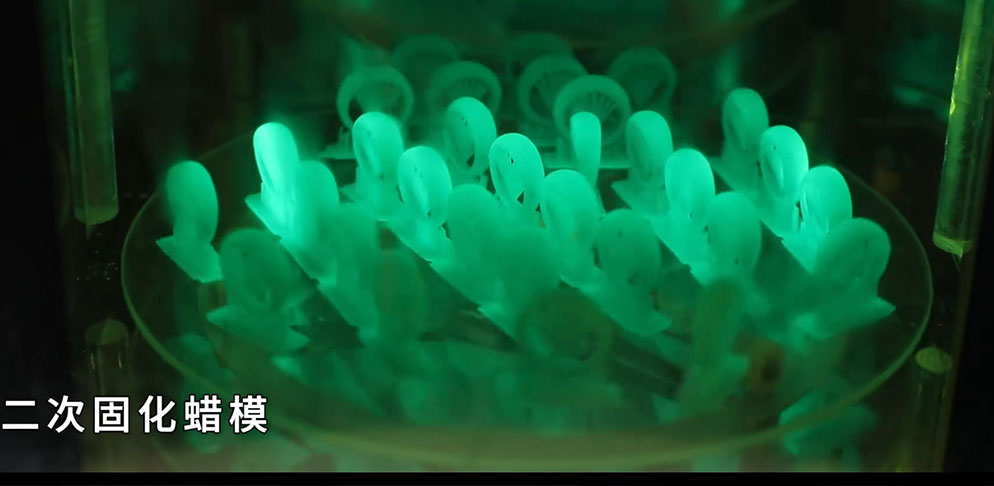
  • Cure prints in a UV curing station with intensity ≥60mW/cm².
  • Curing Time: Thin-walled parts: ~5 minutes; thick-walled/large parts: 15–20 minutes.
  • Process Optimization (Optional): Bake prints at 80°C for 10 minutes before UV curing to reduce thermal expansion and improve casting dimensional stability.


3、Support Removal (Jewelry-Specific)

  • Timing: Remove supports after cleaning but before post-curing. At this stage, the resin retains slight toughness and is less prone to breakage.
  • Tools: Flush cutters must be used. Cut supports at the base. Avoid tearing them off by hand, as this can leave marks on the model surface that require subsequent finishing.


4、Quality Check

Perform a final inspection before casting. Use a flashlight or strong light to examine the model for the following issues:

  • Residual Resin: Check for any uncured resin remaining on interior surfaces (appears transparent).
  • Breakage: Verify that filigree or setting prongs are intact.
  • Deformation: Confirm that ring bands have not warped during cleaning or curing.
Casting Process Workflow

1、Sprue Design (Treeing)

This is a unique step in jewelry casting: attaching multiple small models to a main sprue.
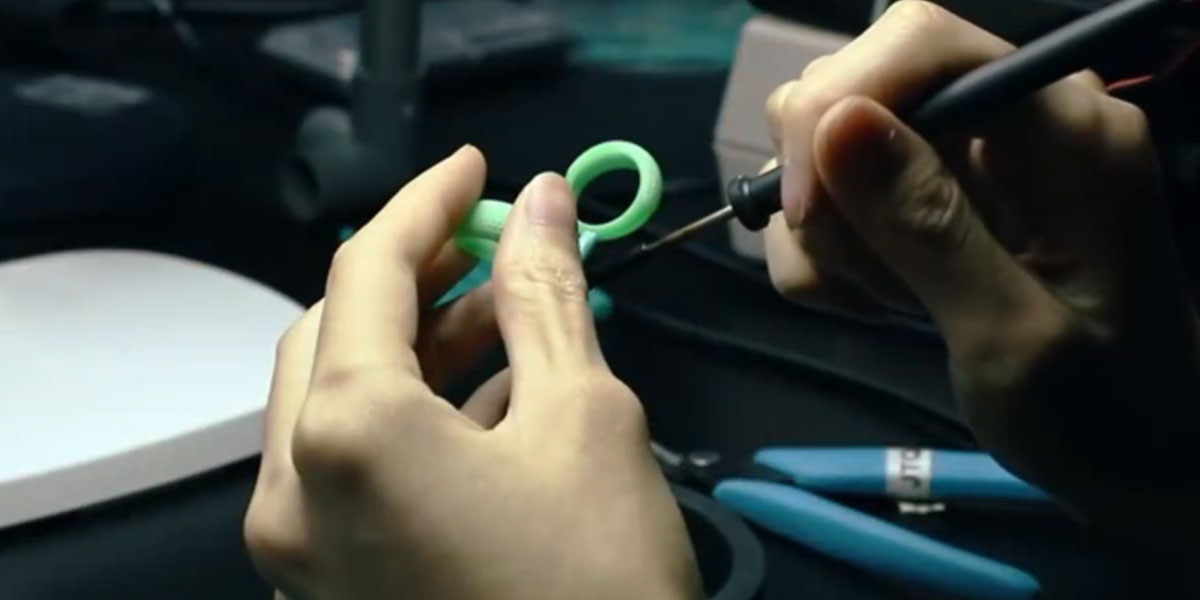
  • Wax Wire Connection: Use casting wax wire or low-temperature hot-melt adhesive to attach models to the main sprue. Avoid using ordinary glue, as it may generate gas.
  • Angling: Position models at an angle to facilitate metal flow and venting.


2、Investment Mixing

  • Material Preparation: Use a specialized investment powder suitable for 3D printed resin models (e.g., SRS3D CAST, Prestige Optima).
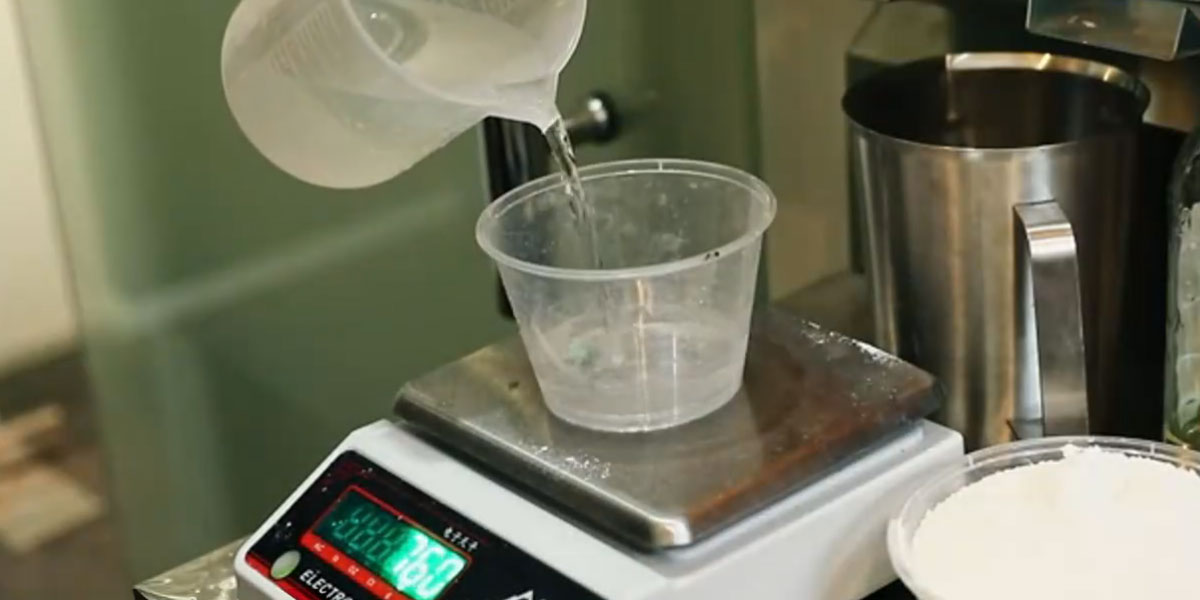
  • Mixing Ratio: Strictly follow a weight ratio of investment powder to water of 100:38.


3、Mixing & Degassing

  • Pour the measured water into a mixing container.
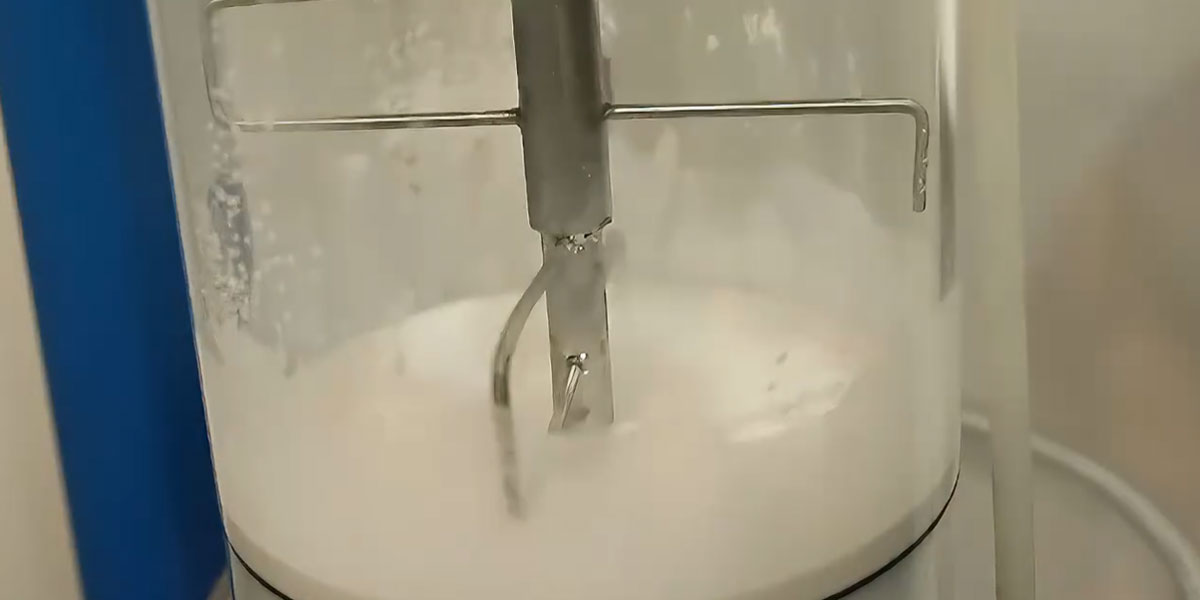
  • Slowly add the investment powder while mixing mechanically for 3–5 minutes until homogeneous.
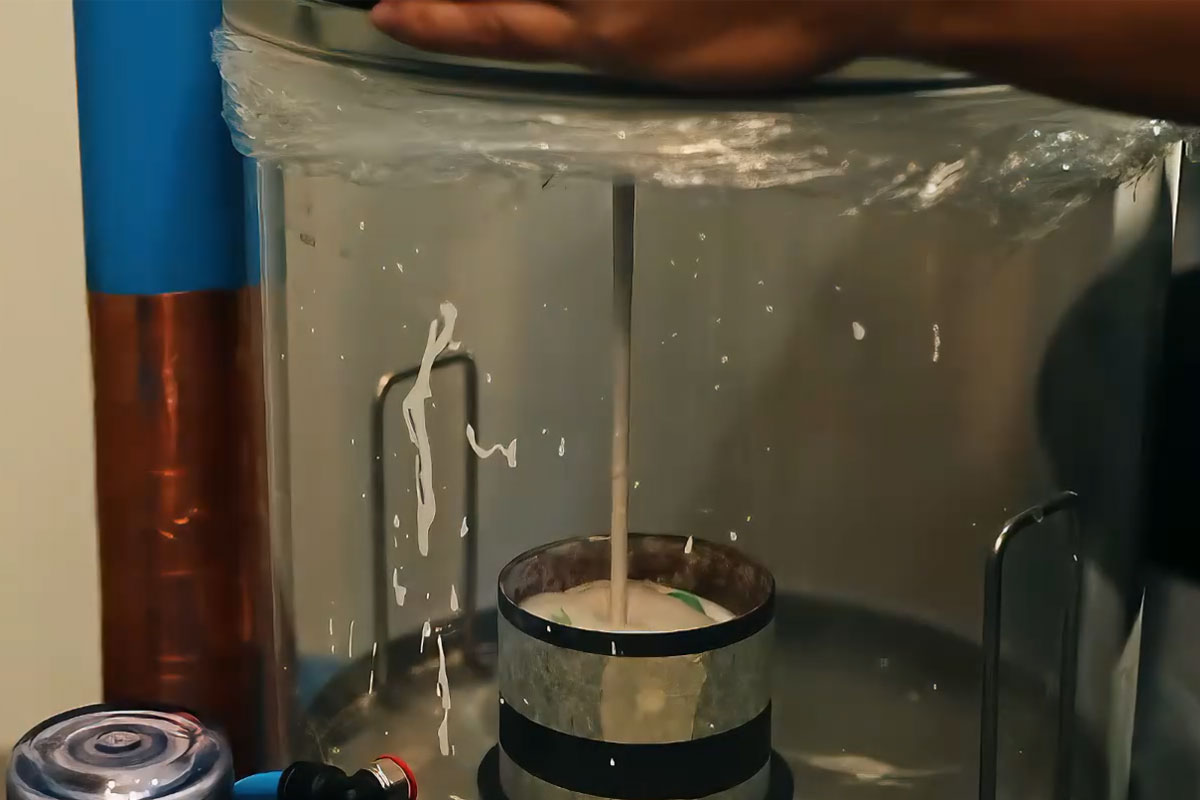
  • Vacuum treat the mixed slurry for approximately 2 minutes to remove entrapped air bubbles.


4、Pouring & Air Evacuation

  • Slowly pour the investment slurry along the inner wall of the flask (with the pattern positioned with the sprue facing downward and adequate size).
  • Apply vacuum to the flask for an additional 2 minutes to ensure the slurry fills the cavity completely and removes residual air.
  • Setting: Allow the flask to sit at room temperature for 2–2.5 hours until fully set and sufficient strength is achieved.


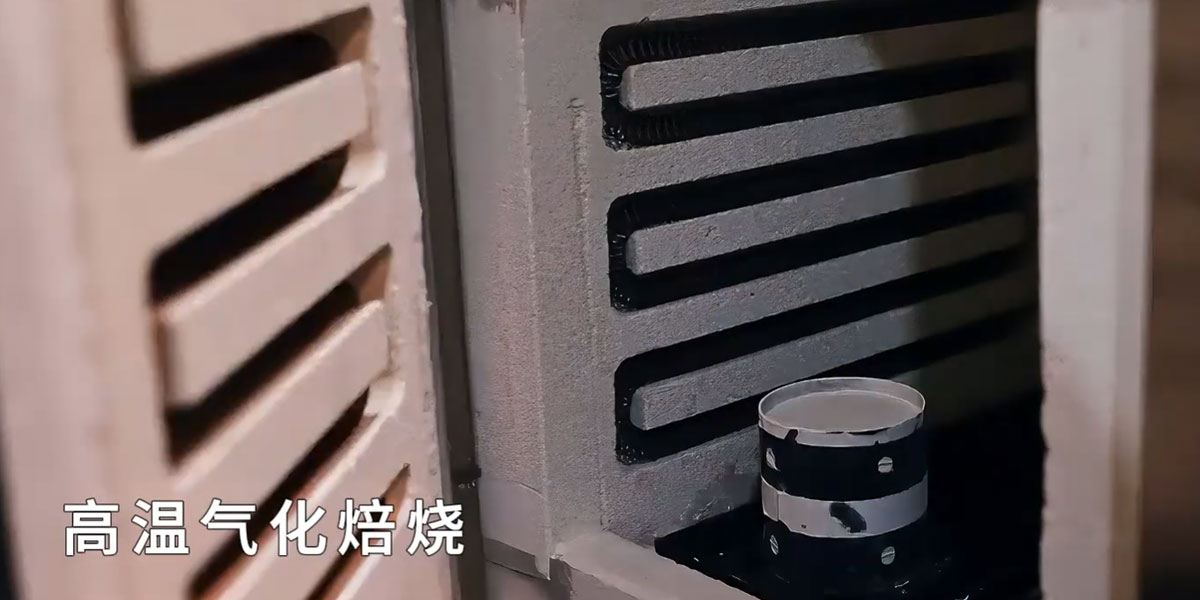
5、Burnout (Wax Removal)

  • Low-Temperature Preheating: Before placing in the burnout furnace, preheat at a low temperature (approx. 80°C) to allow the resin pattern to soften gradually, preventing cracking caused by sudden high heat.
  • Ash Control: High-quality jewelry resins should achieve low ash content (<0.01%), ensuring a clean metal surface without black spots after casting.


6、Melting

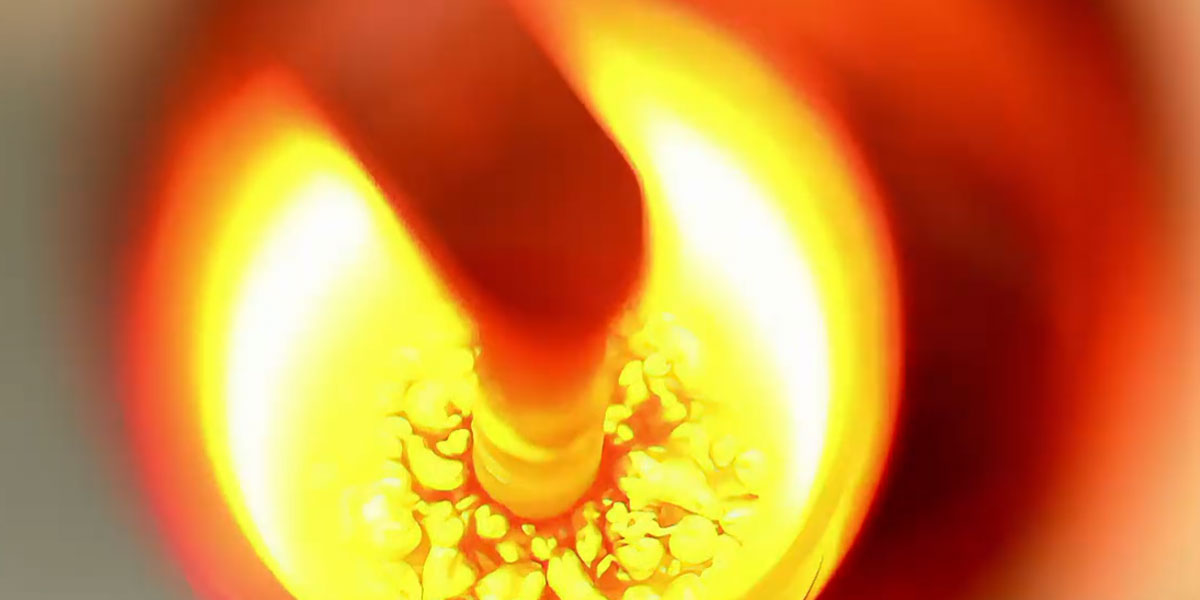
  • Equipment: Use a high-frequency or medium-frequency induction melting furnace.
  • Process: Place precisely weighed metal (e.g., gold, silver, platinum) into a graphite or ceramic crucible. Heat to 100–150°C above the melting point under vacuum or protective atmosphere until fully molten and clean.
  • Key Point: During melting, a flux may be added to cover the molten metal surface, preventing oxidation and gas absorption.


7、Casting

There are two primary casting methods: centrifugal casting and vacuum casting.
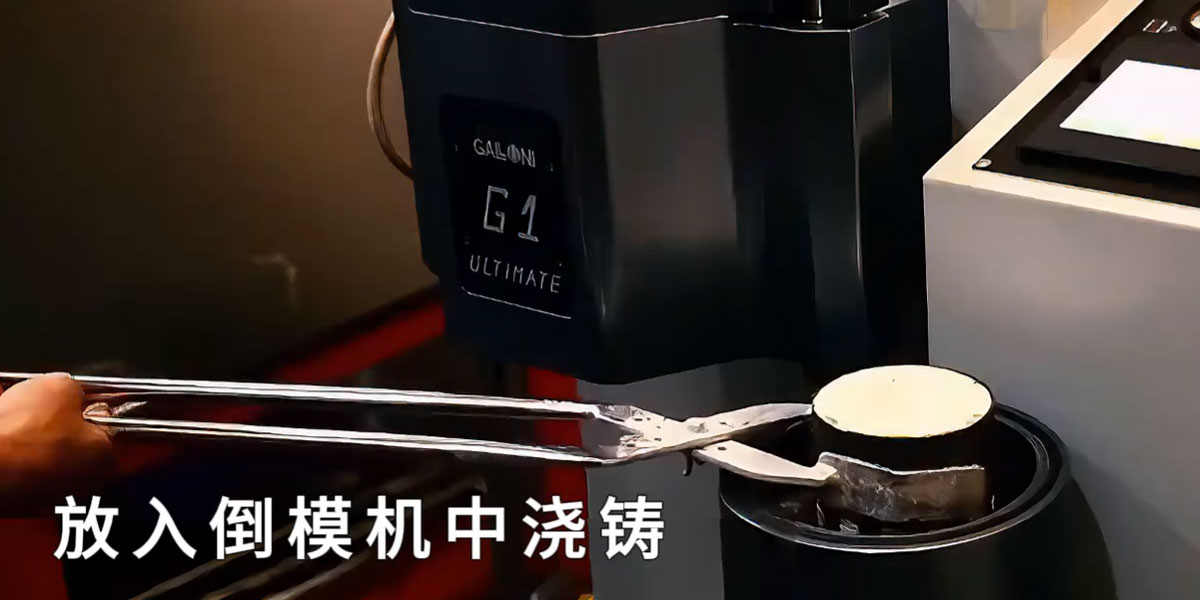
  • Centrifugal Casting: Secure the preheated flask in a centrifugal casting machine. After pouring molten metal into the sprue cup, activate the machine to spin rapidly, forcing the metal into all areas of the flask by centrifugal force. Suitable for complex, detailed jewelry.
  • Vacuum Casting: Place the preheated flask in a vacuum chamber. The pressure differential draws molten metal from the crucible into the cavity. This method produces dense castings and is suitable for large, flat pieces.
  • Core Principle: Ensure the molten metal fills the cavity quickly, smoothly, and continuously.